JWT Refresh Token Rotation: Safe Pattern for Real Systems
Most JWT tutorials stop at "use a refresh token for long-lived sessions." They rarely explain what happens when that refresh token is stolen. A static refresh token — one that never changes — gives an attacker the same persistent access as a stolen session cookie. Worse, there's no way to detect the theft.
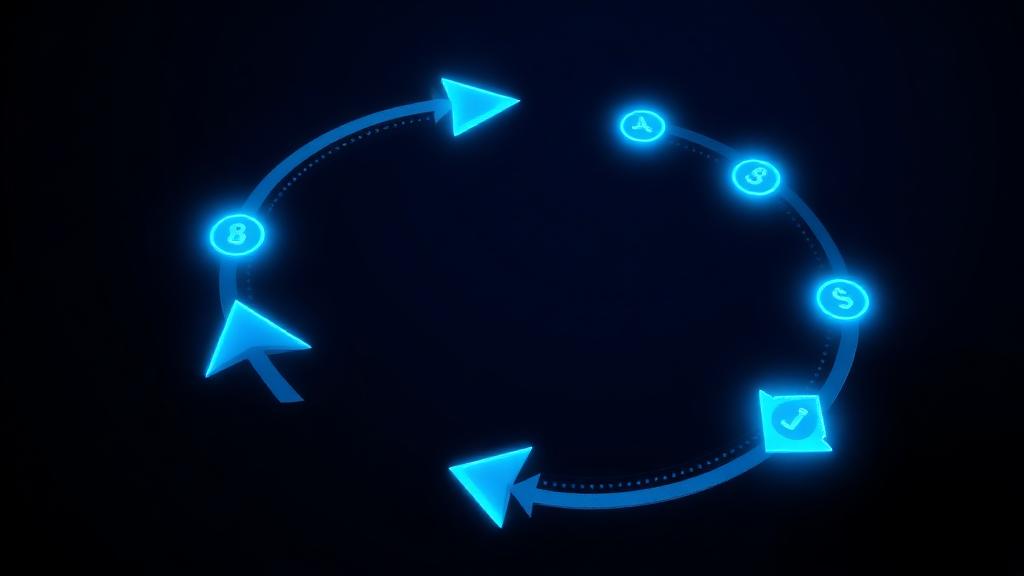
Refresh token rotation solves this by issuing a new refresh token with every use. If an old token is replayed, the entire session is revoked. This article walks through the implementation pattern used by Auth0, Okta, and other serious identity providers.
Why Static Refresh Tokens Fail
A static refresh token has a fixed value for the entire session lifetime (often 30+ days). Problems:
- Theft is silent — if an attacker steals the refresh token, they can generate new access tokens indefinitely without the user knowing
- No replay detection — the same token can be used repeatedly from different locations
- Revocation is coarse — to invalidate one stolen token, you often need to invalidate all user sessions
The fix is to treat every refresh token as single-use.
The Rotation Model
Step 1: Login — Create a Token Family
When the user authenticates, generate a family_id (UUID) that groups all tokens in this session:
{
  family_id: "f47ac10b-58cc-4372-a567-0e02b2c3d479",
  user_id: "user_123",
  refresh_token_hash: sha256(refresh_token),
  created_at: "2026-03-28T10:00:00Z",
  expires_at: "2026-04-27T10:00:00Z",
  used: false
}
Store this record server-side. Never store refresh tokens in localStorage — use httpOnly cookies or secure native storage.
Step 2: Token Refresh — Rotate
When the client presents the refresh token:
- Look up the token hash in the database
- Verify it belongs to an active family and is not marked as
used - Mark it as
used: true - Issue a new refresh token (new random value, same
family_id) - Issue a new access token
- Store the new refresh token hash
Step 3: Replay Detection
If a refresh token marked as used: true is presented again, this means either:
- An attacker is replaying a stolen token, or
- A legitimate client is retrying after a network failure
The safe response: revoke all tokens in the family. This forces the user to log in again. It's better to inconvenience a legitimate user once than to let an attacker maintain access.
// Replay detected — nuclear option
await db.query(
  'DELETE FROM refresh_tokens WHERE family_id = $1',
  [familyId]
);
Database Schema
A minimal refresh token table:
CREATE TABLE refresh_tokens (
  id UUID PRIMARY KEY DEFAULT gen_random_uuid(),
  family_id UUID NOT NULL,
  user_id UUID NOT NULL REFERENCES users(id),
  token_hash TEXT NOT NULL UNIQUE,
  used BOOLEAN DEFAULT FALSE,
  created_at TIMESTAMPTZ DEFAULT now(),
  expires_at TIMESTAMPTZ NOT NULL,
  replaced_by UUID REFERENCES refresh_tokens(id)
);

CREATE INDEX idx_refresh_family ON refresh_tokens(family_id);
CREATE INDEX idx_refresh_user ON refresh_tokens(user_id);
The replaced_by column creates a chain you can follow for audit purposes.
Handling Concurrent Requests
In real applications, multiple API calls might trigger a refresh simultaneously. If Call A rotates the token while Call B still holds the old one, Call B triggers replay detection — logging out the user unexpectedly.
Grace Period Pattern
Allow the previous refresh token to remain valid for a short window (5–10 seconds) after rotation:
const GRACE_PERIOD_MS = 10_000;

if (token.used) {
  const elapsed = Date.now() - token.rotated_at;
  if (elapsed < GRACE_PERIOD_MS) {
    // Within grace period — return the already-issued new tokens
    return getLatestTokensForFamily(token.family_id);
  }
  // Outside grace period — replay attack
  await revokeFamily(token.family_id);
  throw new UnauthorizedError('token_replayed');
}
Monitoring and Alerts
Track these signals in production:
- Replay events per hour — a spike indicates an active attack or a client-side bug
- Family revocations — high rates may indicate token theft or a misconfigured client
- Refresh rate per user — abnormally high rates suggest token harvesting
- Geographic anomalies — refresh from a different country than the original login
Refresh Token vs Access Token: Quick Reference
| Property | Access Token | Refresh Token |
|---|---|---|
| Lifetime | 5–15 minutes | 7–30 days |
| Format | JWT (self-contained) | Opaque string (recommended) |
| Storage | Memory (JS variable) | httpOnly cookie |
| Sent to | API servers | Auth server only |
| Rotation | Not needed | Every use |
For time-claim validation bugs that often interact with refresh flows, see JWT exp/iat/nbf common bugs.
FAQ
How should I handle concurrent refresh requests?
Use a short grace period (5–10 seconds) where the previous refresh token is still accepted. This handles race conditions when multiple API calls trigger a refresh simultaneously. After the grace period, only the newest token is valid.
Should refresh tokens be JWT or opaque strings?
Opaque strings are generally safer for refresh tokens. JWTs carry payload data that increases attack surface, and refresh tokens don't need to be self-contained since the server always looks them up in the database anyway.
How long should refresh sessions live?
7–30 days is typical. High-security applications (banking, healthcare) should use 1–7 days. Consumer apps can go up to 90 days with rotation. Always pair long sessions with device fingerprinting and anomaly detection.
Related Tools & Articles
- JWT Decoder — inspect tokens and verify time claims
- JWT Security Mistakes — common JWT pitfalls beyond refresh tokens
- JWT Time-Claim Bugs — clock skew and validation order issues
- 2FA Guide — strengthen authentication beyond tokens